

Best Standing Desk for Comfort & Productivity
So, what exactly is a standing desk? Think of it less as a single piece of furniture and more as a flexible workstation that lets you effortlessly shift between sitting and standing whenever you feel the need. It's a tool designed to break up those long, static hours at the desk, encouraging more movement to boost your energy and overall well-being.
Why a Standing Desk Is a Smart Workspace Investment
Let's move past the old saying that "sitting is the new smoking." In the modern work world, the real goal is to build a workspace that works for you, not the other way around. A standing desk is one of the most powerful ways to take control of your energy, focus, and long-term health.
Picture a traditional desk as a still, stagnant pond. It keeps you locked in one passive position for hours on end. A standing desk, on the other hand, is like a flowing stream. It encourages you to naturally shift your posture, keeps your body engaged, and brings a more dynamic rhythm to your day. This one change injects much-needed activity into what is often a very sedentary routine.
Reframing Your Perspective on Work
The real magic of a standing desk isn't about standing all day. In fact, standing for eight hours straight can cause its own set of problems. The true benefit comes from creating a natural rhythm of movement by alternating between sitting and standing. It empowers you to sit when you need to concentrate deeply and stand when your body feels restless.
This simple adjustment can make a world of difference:
- Sustained Energy: Changing positions gets your blood flowing, helping you beat that all-too-familiar afternoon slump.
- Improved Focus: Even subtle physical movements can keep your mind sharper and more alert throughout the day.
- Better Well-being: Simply cutting down on your total sedentary time is strongly linked to better long-term health.
The rise of standing desks in New Zealand offices reflects a worldwide move toward putting employee wellness first. As more of us realise the risks of sitting too much, companies are investing in ergonomic solutions like height-adjustable desks to build a healthier, more productive team. You can dive deeper into this trend by exploring the full research on the standing desk market.
An Investment in Your Productivity
At the end of the day, a standing desk is more than just an ergonomic upgrade; it’s an investment in how you feel and perform. By giving yourself the freedom to move, you’re not just buying furniture—you’re buying better focus, more consistent energy, and a healthier daily habit. This idea fits into the bigger picture of choosing smart, functional pieces that improve both your home and work life, a concept we explore in our guide to finding quality furniture online in NZ.
The key is balance. The simple act of alternating between sitting and standing is the most effective way to unlock better productivity and long-term well-being throughout your workday.
The Real Health Benefits of a Dynamic Workstation
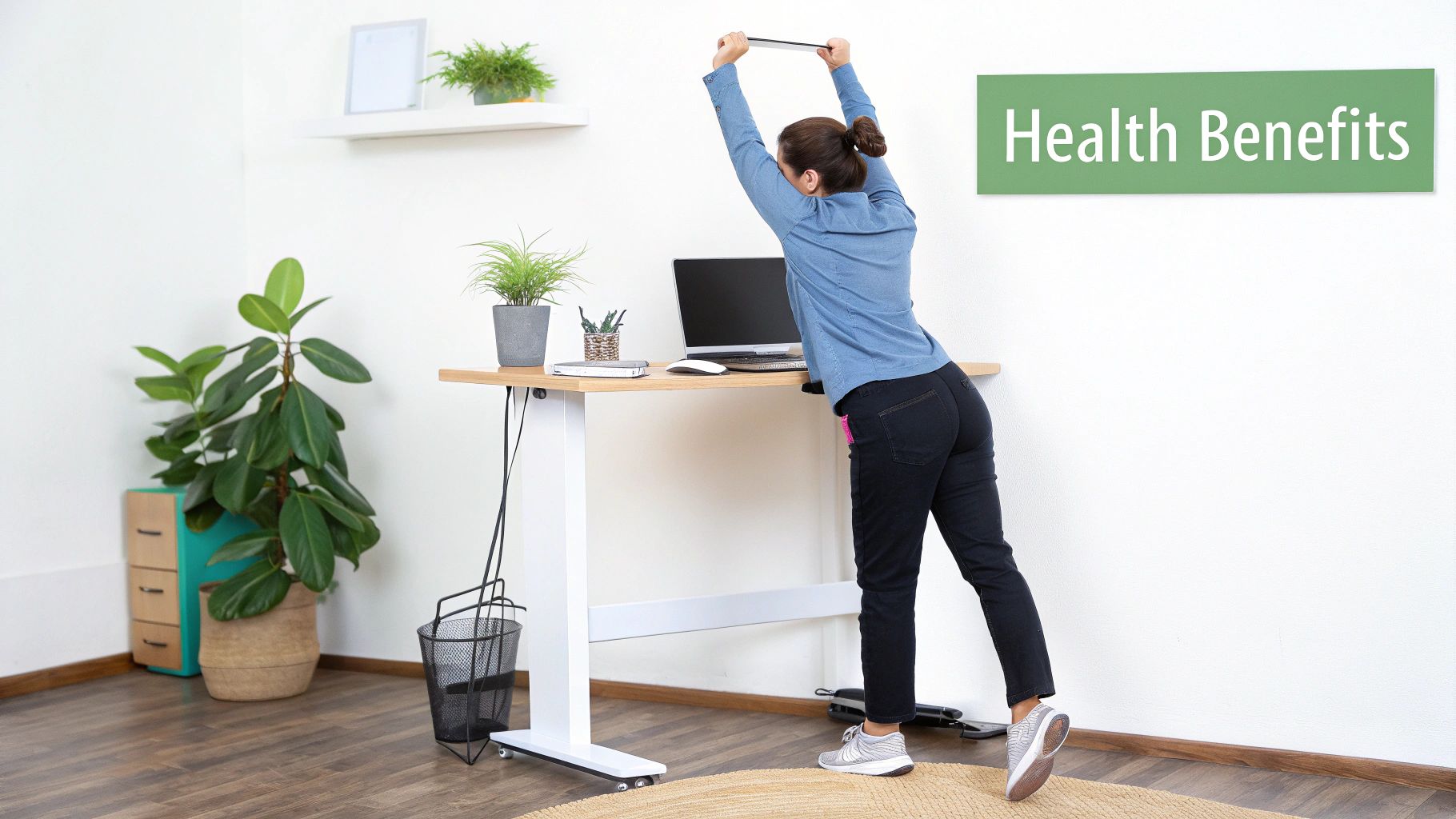
Let's get one thing straight: a standing desk isn't a magic bullet for your health. Its real power isn't in forcing you to stand all day, but in giving you the freedom to move. The true advantage comes from the simple act of changing your posture throughout the day.
This is about turning a static, rigid workday into a dynamic and active one. That small shift kicks off a whole host of benefits for your body and mind, helping you build a workspace that encourages you to move, adapt, and feel your best.
Boosting Circulation and Energy Levels
Have you ever hit that 3 pm wall, where you feel sluggish and foggy? That’s often your circulation slowing down after hours of sitting. Think of your circulatory system like a network of rivers – when you’re stationary, the flow becomes sluggish.
When you stand up, you re-engage the large muscle groups in your legs and core. This simple action acts like a pump, getting your blood moving more efficiently. Suddenly, more oxygen and nutrients are flowing to your brain and muscles, helping you feel more alert and focused.
This simple change can make a huge difference:
- Fight the Fog: Standing helps keep your metabolism from slowing down, leading to more stable energy levels.
- Sharpen Your Mind: With more oxygen reaching your brain, you’ll find it easier to concentrate and think clearly.
Easing That Nagging Back Pain
Back pain is probably the number one complaint among office workers. It’s no surprise, really. Sitting for hours on end compresses your spine, tightens your hip flexors, and lets your core muscles get lazy. Exploring the common chronic lower back pain causes shows just how much our sedentary habits are to blame.
Switching between sitting and standing is a fantastic way to fight back. It encourages a more neutral spine position and wakes up the muscles that support your back. In fact, a 2011 study found participants who stood for just over an hour a day reported a massive 54% reduction in upper back and neck pain.
The key takeaway here is that avoiding any single static posture is what matters most. A height-adjustable desk gives you the power to make small, frequent changes that prevent strain from building up.
Taking a deeper dive into the benefits of height-adjustable desks really highlights how this simple tool can completely change your comfort at work. It’s all about being proactive with your posture.
What About Burning Calories?
Let’s be realistic—a standing desk isn’t going to replace your gym membership. But it does burn more energy than sitting, and those little bits add up over time.
You burn roughly 50 extra calories an hour just by standing instead of sitting. If you stand for three hours every workday, that’s an extra 750 calories a week. Over a whole year, that’s like running a few marathons without even leaving your office. It's the ultimate low-effort, high-consistency win.
A Note on New Zealand Workplace Ergonomics
While the benefits are clear, just swapping your old desk for a standing one isn't the whole story. Research from right here in New Zealand shows that without proper guidance, people can end up with new discomforts or even see their productivity dip.
The real secret to success is combining an adjustable desk with a bit of education and regular reminders to change positions. It's about creating a balanced, ergonomic approach to your workday.
The Mental Boost of a More Active Workspace
We talk a lot about the physical side of things, but the psychological perks are just as important. Breaking up long stretches of sitting can have a huge impact on your mood.
Study after study shows people feel more energised, productive, and even happier when they have the option to stand. Having the ability to change your physical state gives you a sense of control over your day, helping to cut down on that restless, stressed-out feeling. You’re finally able to work with your body’s natural rhythms, not against them.
Choosing Your Standing Desk Type
Diving into the world of standing desks can feel a bit overwhelming at first, but it boils down to just a few main types. Each one is designed for different needs, spaces, and budgets. Figuring out which category suits you best is the first real step to finding the perfect desk for your workspace.
The biggest difference between them? How they go up and down. Are you after the push-button ease of an electric model, or do you prefer a more hands-on approach? That one question will point you in the right direction.
Electric Standing Desks
There's a good reason electric standing desks are the most popular choice. They offer the smoothest, most convenient way to move between sitting and standing—all with a simple touch of a button. Think of it as the automatic transmission in the car world; it's effortless and precise.
These desks use a quiet motor (or sometimes two) to lift and lower the desktop. The adjustment is so quick and simple, you'll actually find yourself using it. Many models even come with programmable memory presets. This is a brilliant feature that lets you save your perfect sitting and standing heights, so you can get back to your ideal posture with a single tap. No more fiddling around to get it just right.
What makes them so good?
- Effortless to Use: Simple controls mean you’re more likely to switch positions throughout the day.
- Pinpoint Accuracy: You can dial in the exact height you need, right down to the centimetre.
- Memory Settings: Save your favourite heights for consistent ergonomic support every single time.
While they do cost a bit more upfront, the sheer convenience makes an electric desk a fantastic investment, especially if you plan on making it the centrepiece of your workday.
Manual Standing Desks
If you’re looking for a more budget-friendly option that still gives you the full sit-stand experience, a manual standing desk is an excellent choice. Instead of a motor, these desks use a hand crank to change the height. It's the "manual gearbox" of the desk world—reliable, effective, and puts you in control.
It takes a little bit of elbow grease to adjust the height, but modern designs are surprisingly smooth and easy to turn. A few seconds of cranking is all you need to go from sitting to standing. They're a rock-solid solution for anyone who wants the core benefits of a height-adjustable desk without the price tag of an electric model. Plus, they don’t need to be plugged in, which is a nice bonus.
For a great example of a flexible and reliable option, you can learn more about how an agile standing desk can adapt to your needs without any complex electronics. This simplicity makes them a perfect fit for home offices or any space where you just want things to work.
Standing Desk Converters
What if you already have a desk you quite like? That’s where a standing desk converter comes in. These are self-contained units that sit right on top of your current desk, giving you a platform for your monitor and keyboard that you can lift up or down.
Converters are a brilliant, low-commitment way to dip your toes into the sit-stand lifestyle. They're generally more affordable than a whole new desk and require zero assembly—just pop it on top, and you're good to go. They instantly add a new layer of flexibility to your setup.
Just keep in mind that they offer a bit less workspace and can sometimes feel less stable than a full desk, especially if you have a heavy dual-monitor setup. But for a quick and practical upgrade, they’re hard to beat.
Fixed-Height Standing Desks
A less common but still useful option is the fixed-height standing desk. Just like the name says, these desks don't adjust at all. They're permanently set at a standing height and are best for shared spaces or "touchdown" areas where you might work for short bursts.
You'll often spot these in common rooms, libraries, or collaborative office zones. They're really designed to encourage quick, active work sessions rather than all-day use at a single station. While not the right choice for a primary workstation, they play a great role in creating more dynamic and flexible work environments.
The chart below gives you a rough idea of how popular each type is with today's buyers.
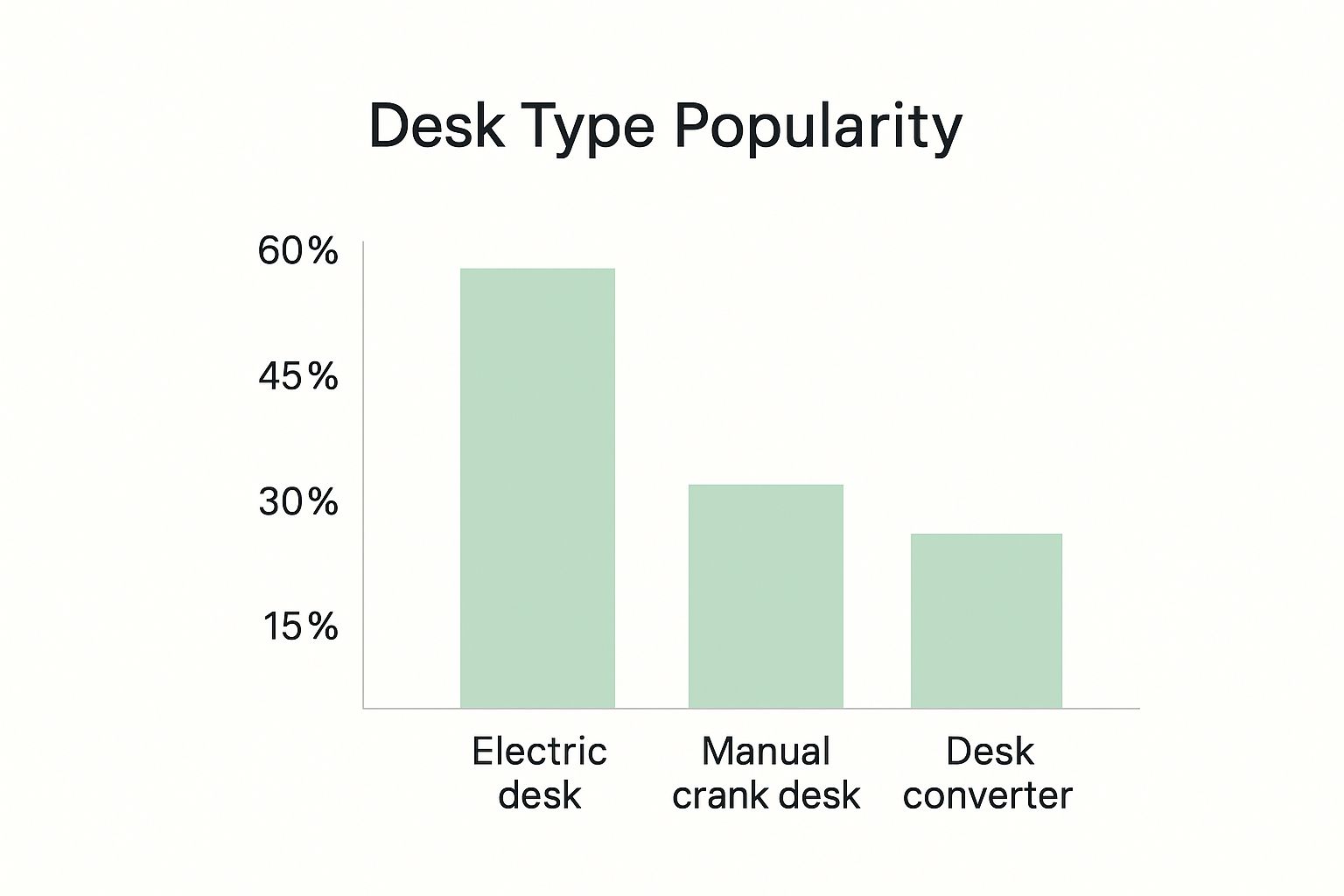
As you can see, the convenience of electric models makes them the clear favourite. Still, manual desks and converters fill important gaps, offering great alternatives for different needs and budgets.
To make things even clearer, here's a quick comparison to help you weigh your options.
Standing Desk Types At a Glance
| Desk Type | Adjustment Method | Typical Price Range (NZD) | Best For | Key Considerations |
|---|---|---|---|---|
| Electric | Motorised (push-button) | $600 - $1,500+ | Daily, frequent users who want maximum convenience and precise adjustments. | Requires a power source; higher initial cost. |
| Manual | Hand Crank | $400 - $800 | Budget-conscious users or those who don't need to adjust height multiple times a day. | Requires minor physical effort; slower adjustment. |
| Converter | Gas Spring or Lever | $250 - $600 | Upgrading an existing desk without replacing it; smaller workspaces. | Limited surface area; may be less stable with heavy equipment. |
| Fixed-Height | None | $300 - $700 | Shared or temporary workspaces, collaborative zones. | Not adjustable for individual users or for sitting. |
Ultimately, the best desk is the one that fits seamlessly into your daily routine and encourages you to move more. Whether you go for the ease of an electric model or the simplicity of a converter, you're making a positive change for your health and productivity.
How to Select the Perfect Standing Desk for You
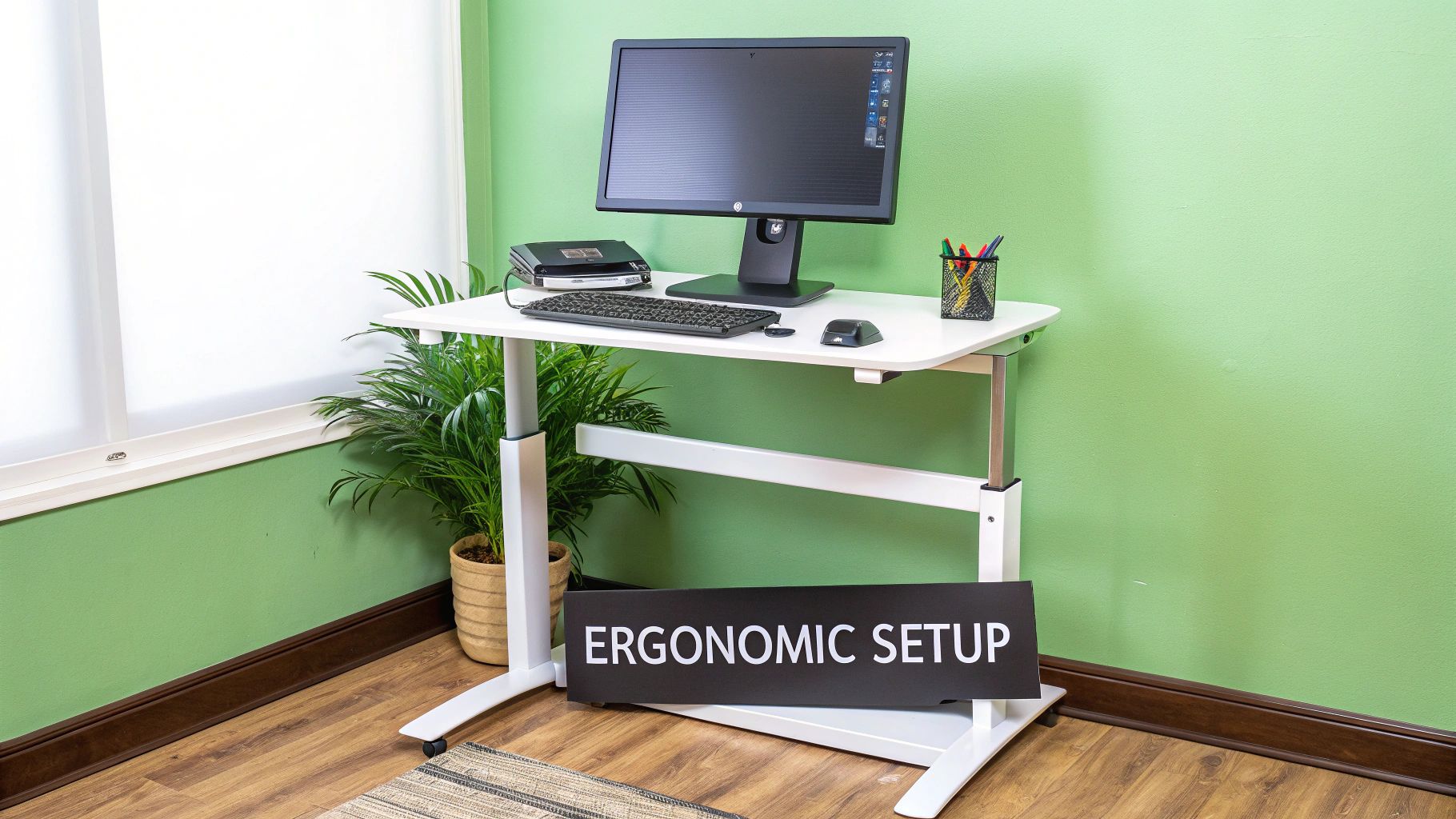
Now that you’ve got a handle on the different types of standing desks, it’s time for the fun part: finding the one that’s just right for you. Picking the right desk goes far beyond just what it looks like. It’s about finding a model that fits into your room, holds all your gear, and works with the rhythm of your day.
Think of it like getting a custom-tailored suit. Sure, an off-the-rack option might do the job, but a desk that’s made for your specific needs and measurements will feel worlds better. This checklist will guide you through all the important details so you can make a choice you’ll be happy with for years.
Measuring Your Space and Yourself
Before you even think about clicking “add to cart,” the very first step is to get out the tape measure. A desk that’s too large can make your room feel cramped and cluttered, while one that’s too small will leave you struggling for space.
Measure the width and depth of the spot where you want your new standing desk to go. Don’t forget to leave a bit of breathing room on all sides for your chair and for you to move around comfortably. If you need some pointers, our guide on how to measure your space for appliances and furniture has some great tips that are perfect for this.
Just as crucial is measuring for your own height. A great standing desk needs to work for you whether you’re sitting or standing. Here’s a quick way to check:
- Sitting Height: Sit down in your chair with your feet flat on the floor. Your elbows should be bent at a 90-degree angle. The desk's lowest setting needs to let your keyboard rest comfortably at this level.
- Standing Height: Now, stand up straight and bend your elbows to that same 90-degree angle. The desk’s maximum height should be able to reach this point easily.
Knowing this height range beforehand ensures you pick a desk that's actually ergonomic for your body.
Assessing Technical Details and Features
Once you've sorted out the dimensions, it's time to pop the bonnet and check out the technical specs. These are the details that dictate how well the desk performs, how long it lasts, and how easy it is to use every day, so they’re well worth paying attention to.
First on the list is weight capacity. Tally up the weight of everything you'll put on it—your monitors, laptop, PC tower, speakers, and anything else. Make sure the desk's maximum load is comfortably above your total. A desk that’s struggling under too much weight will be noisy, and its motor will wear out much faster.
Next, have a think about the desktop material. This choice affects both the desk’s appearance and its durability.
- Laminate: A tough, budget-friendly choice that comes in a huge range of colours and finishes.
- Solid Wood: Gives you a premium, classic feel, but it does need a bit more looking after and costs more.
- Bamboo: A really popular, eco-friendly option that’s surprisingly strong for how light it is.
Consider your daily habits. Do you always have a coffee on the go? A spill-resistant, easy-to-clean laminate might be your best bet. Or do you prefer a warmer, more natural vibe? Then bamboo or solid wood could be perfect.
Identifying Must-Have Functional Features
The best standing desk is one that makes it completely effortless to change your posture. There are a few key features that can turn a good desk into a truly great one.
Noise level is a big deal, especially if you work in a quiet office or a shared space at home. Good quality electric desks run at under 50 decibels—that’s quieter than a normal conversation. It's worth checking the product specs for the decibel rating to avoid ending up with a loud, distracting motor.
Memory presets are another feature that you’ll wonder how you ever lived without. They let you save your perfect sitting and standing heights, so you can switch between them with just one touch of a button. It takes all the fiddling and guesswork out of it, which means you’ll be much more likely to actually change positions throughout the day.
A standing desk should remove barriers to movement, not create new ones. Features like quiet motors and memory presets are designed to make postural changes a seamless part of your workflow, rather than a disruption.
Finally, keep an eye out for cable management. A jungle of wires is not just messy—it can get caught when the desk is moving up or down. Look for desks that have built-in trays, channels, or grommets to keep all your cords neat, tidy, and safely out of the way. Taking a little extra time to check for these practical features will make all the difference in creating a workspace that boosts your productivity and well-being.
Creating Your Complete Ergonomic Setup
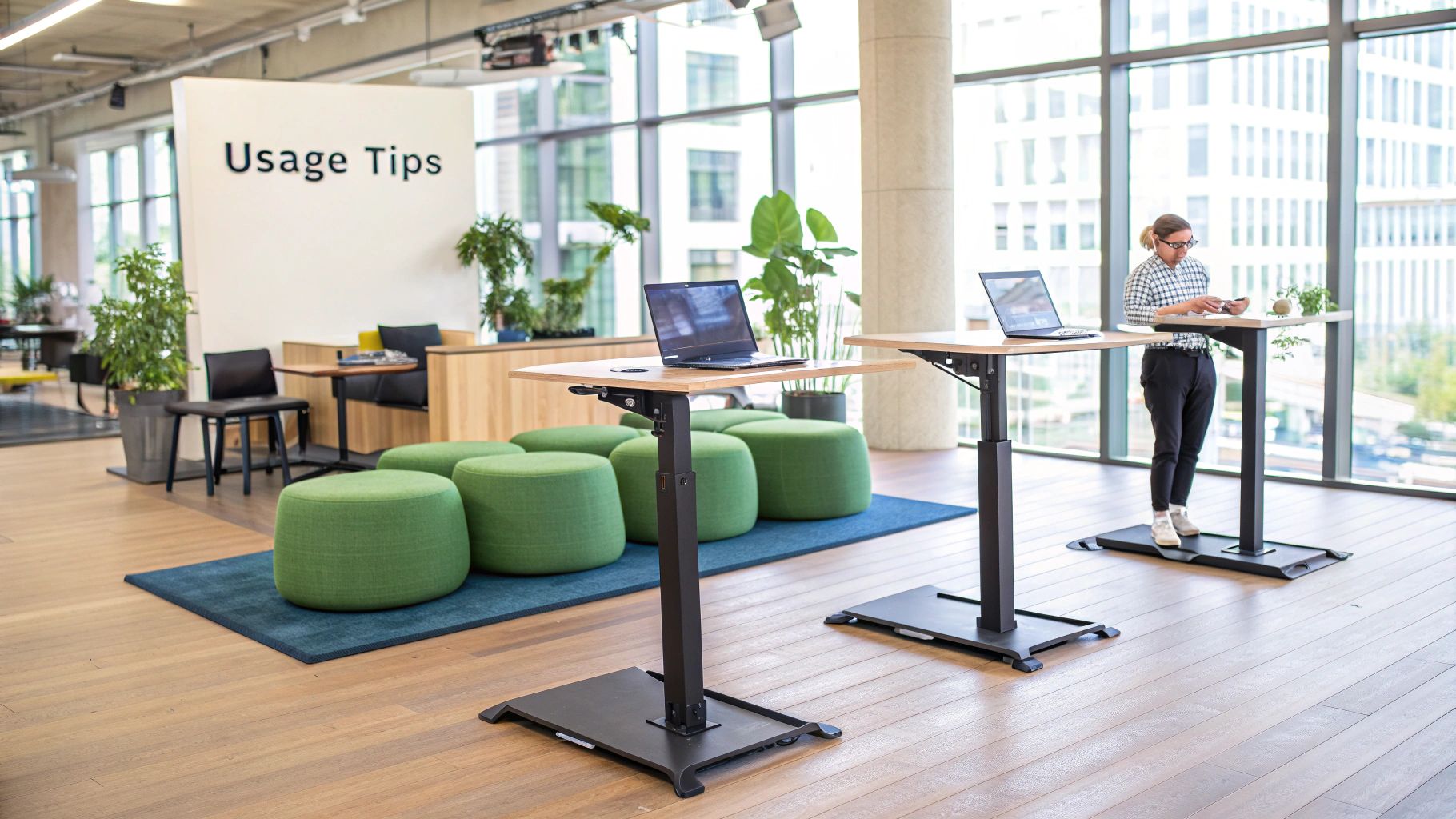
Getting a standing desk is a fantastic first move, but it’s what you build around it that really brings the health and productivity benefits to life. Think of the desk as the foundation of your house. It’s absolutely essential, but you still need walls, a roof, and furniture to make it a comfortable, liveable home.
A truly ergonomic workspace is an entire ecosystem where every piece works together to support your body. Nailing this setup from the start helps you sidestep common issues like neck strain or fatigue, turning your investment into a long-term wellness tool instead of just another piece of furniture. It’s all about creating an environment that encourages you to move naturally and work comfortably.
Positioning Your Monitor Perfectly
The most common ergonomic mistake I see is getting the monitor height wrong. This is a fast track to neck and shoulder pain. The golden rule is to position your screen so the top of it is at or just below your eye level. This simple adjustment stops you from craning your neck up or hunching down to see what you’re doing.
This rule holds true whether you’re sitting or standing, which is exactly why a separate monitor on an adjustable arm is a game-changer. A laptop screen, on its own, is almost never at the right height. The goal is to keep your head balanced naturally on your spine, not jutting forward like a turtle.
Here’s a quick checklist to get your screen placement right:
- Eye Level: The top third of your screen should sit directly at your eye level.
- Arm’s Length: Keep the monitor about an arm’s length away from you to prevent eye strain.
- Directly in Front: Make sure the screen is centred, so you’re looking straight ahead, not twisting your neck.
Your Keyboard and Wrists
Next up: your keyboard and mouse. Your arms should be relaxed at your sides, with your elbows bent at a comfortable 90-degree angle. This allows your wrists to stay in a flat, neutral position while you type or click.
This setup is your best defence against the strain that can lead to conditions like carpal tunnel syndrome. You want to avoid angling your wrists up or down. If you’re using a laptop, an external keyboard and mouse aren’t just nice to have—they’re non-negotiable for a proper ergonomic arrangement.
Your desk, chair, and screen must work in harmony. The goal is to bring the work to you, not force your body to contort to the work. Adjustability is the key to creating a setup that fits you perfectly in every posture.
Even when you stand, you still need moments to rest. This principle is recognised everywhere, including in New Zealand schools where standing workstations for children were studied to reduce sedentary time. The findings showed that while standing helps, providing options to sit is crucial for preventing fatigue and maintaining focus.
Why You Need an Anti-Fatigue Mat
Standing on a hard floor for hours is tough on your feet, legs, and lower back. An anti-fatigue mat might be the single most important accessory you can buy for your standing desk. These cushioned mats are specially designed to encourage tiny, continuous micro-movements in your leg muscles.
These subtle shifts in balance boost blood flow and take the pressure off your joints, letting you stand comfortably for much longer. It’s a simple addition that makes a huge difference in warding off soreness and fatigue, making you far more likely to stick with your new standing habit.
Don't Forget Your Chair
Let’s be realistic—even with a standing desk, you're still going to spend a good chunk of your day sitting. A high-quality, adjustable office chair is the other half of the ergonomic equation. It needs to give you proper lumbar support and be adjustable enough to match your ideal sitting height at the desk.
Making sure your chair and desk are a perfect match is vital for creating a truly dynamic workstation. To get this part right, you can check out our guide on finding the best Buro office chair in NZ for options that support a healthy sit-stand routine. And to truly round out your ergonomic setup and boost the well-being of your office space, consider adding some of the best indoor plants for offices.
Common Questions About Standing Desks Answered
Deciding to switch to a standing desk is a fantastic move for your workday comfort and health. But once you get it set up, a few practical questions almost always come to mind. It's completely normal.
Let's walk through some of the most common queries we hear from people just starting out. This will help you get the most out of your new desk and build good habits that stick around for the long haul.
How Long Should I Actually Stand Each Day?
This is easily the most common question, and the answer is simpler than you might think: listen to your body. The goal here is balance, not endurance.
Most ergonomic experts in NZ recommend starting with a 1:1 or 2:1 sit-to-stand ratio. A good rule of thumb is to stand for about 30 minutes for every hour you sit. When you're just starting, aim for 30–60 minutes of standing time, broken up throughout your day.
The biggest mistake people make is trying to stand for hours on day one. If you feel tired or sore, that’s your body telling you it's time to sit for a bit. Small, consistent changes are what lead to long-term success.
Are Electric Standing Desks Loud in an Office?
A valid concern, especially if you work in an open-plan office or a quiet space. Thankfully, the answer usually comes down to quality. A well-engineered electric standing desk is designed to be surprisingly quiet.
Most reputable models operate at under 50 decibels. For context, that's quieter than a normal conversation and you'd barely notice it in a typical office environment. Cheaper desks with lower-quality motors can be a bit noisier, so if sound is a major consideration for you, check the decibel rating in the product specs before you buy.
A quiet motor means you can adjust your desk height whenever you want without feeling like you're making a grand announcement. It becomes a seamless part of your workflow, not a distraction.
What Accessories Do I Really Need to Get Started?
You can absolutely start with just the desk, but a few key accessories can make a world of difference to your comfort and the desk's functionality. You don't need everything at once, but these three items give you the most bang for your buck.
Here’s what we recommend prioritising:
- An Anti-Fatigue Mat: Honestly, this is a non-negotiable. A good mat provides cushioning that dramatically reduces the strain on your feet, legs, and back. It's the secret to standing comfortably for longer periods.
- Cable Management: With a desk that moves up and down, tidy cables are essential. A simple tray or sleeve keeps wires organised and prevents them from getting snagged, unplugged, or damaged during height adjustments.
- A Monitor Arm: While not essential for everyone, an adjustable monitor arm is a game-changer. It allows you to perfectly position your screen at eye level whether you're sitting or standing—something a standard monitor stand just can't do.
Can a Standing Desk Really Help with Weight Loss?
Let's set some realistic expectations. A standing desk is a great tool for a healthier lifestyle, but it’s not a magic bullet for weight loss.
Standing does burn slightly more calories than sitting—on average, about 0.15 extra calories per minute. While that can add up over a workday, the effect on its own is pretty minor.
The real health benefit is more about boosting your metabolism and breaking up long, sedentary periods. Think of it as one piece of a bigger puzzle. It encourages a more active day, which, when combined with a balanced diet and regular exercise, contributes to your overall wellness. And that's always a win.
Ready to create a more dynamic and comfortable workspace? Explore the range of high-quality ergonomic solutions at Folders. Find the perfect standing desk to boost your health and productivity today at https://folders.co.nz.